
Professional Editing App: The Complete Guide to Powerful Mobile Editing
Creating professional-looking content no longer requires an expensive computer or complicated editing software. With a powerful professional editing app, your smartphone can become a complete creative studio for photos, videos, social media posts, business content, and more.
Whether you are a content creator, freelancer, photographer, marketer, student, or business owner, the right editing app can save time while helping you produce polished and engaging content.
What Is a Professional Editing App?
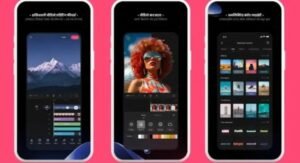
A professional editing app is mobile software designed to provide advanced tools for improving photos, videos, graphics, and other digital content. Unlike basic editors that offer only simple filters and cropping, professional editors usually provide greater control over colors, lighting, audio, layers, effects, and export quality.
Modern apps may also include AI-powered editing tools, automatic background removal, object removal, smart enhancement, and templates that simplify complex editing tasks.
For example, a small business owner can use an editing app to create product photos, promotional videos, social media advertisements, and branded graphics directly from a smartphone.
Key Features to Look For
Not every editing app offers the same capabilities. Before choosing one, consider the features that match your editing needs.
Advanced Photo Editing
A quality professional photo editor should offer tools such as:
- Exposure and brightness adjustment
- Contrast and saturation controls
- Color correction and grading
- Sharpening and noise reduction
- Background removal
- Object removal
- RAW photo support
- Selective editing
These controls allow users to make precise adjustments instead of relying entirely on preset filters.
Professional Video Editing
If you create videos for YouTube, TikTok, Instagram, or business marketing, video capabilities are equally important.
Look for features such as multi-track timelines, transitions, speed controls, keyframe animation, captions, audio editing, and high-resolution export. Support for formats such as 1080p and 4K can also be valuable when maintaining high-quality footage.
AI Editing Tools
Artificial intelligence has made mobile editing significantly easier. Depending on the app, AI features can automatically improve lighting, remove unwanted objects, replace backgrounds, generate effects, or enhance image quality.
These tools are particularly useful when you need professional results quickly but do not have extensive editing experience.
Why Use a Professional Editing App?
The biggest advantage is convenience. You can edit content almost anywhere without carrying a laptop or professional camera workstation.
Save Time
Templates, presets, automatic adjustments, and AI-powered features can reduce repetitive editing work. Instead of manually adjusting every setting, you can make quick corrections and then fine-tune the final result.
Create Better Social Media Content
High-quality visuals can make a significant difference on social platforms. A professional editing app can help creators maintain consistent colors, fonts, transitions, and branding across their posts.
Support Business and Marketing
Businesses can use mobile editing tools for product advertisements, promotional videos, social media campaigns, presentations, and branded images. This can reduce the need for expensive editing services for simple projects.
Free vs. Premium Editing Apps
Many professional editing apps offer free versions with basic tools and premium subscriptions with advanced features.
A free version may be enough for casual users, while professionals may benefit from premium capabilities such as advanced AI tools, premium templates, watermark removal, cloud storage, or higher-quality exports.
Before subscribing, check the pricing, available features, export restrictions, privacy policy, and cancellation terms.
Tips for Getting Professional Results
Start With High-Quality Media
Editing cannot completely fix poor source material. Whenever possible, capture photos and videos with good lighting, stable framing, and appropriate resolution.
Avoid Overediting
Too many filters, transitions, or effects can make content look unnatural. Professional editing is often about improving the original material rather than dramatically changing it.
Maintain Consistent Branding
For business and social media content, use consistent colors, fonts, visual styles, and logos. This makes your content easier for viewers to recognize.
Export With the Right Settings
Choose export settings based on where the content will be published. Social platforms, websites, and video-sharing services may have different recommendations for resolution, file size, and format.
Is a Professional Editing App Worth It?
For anyone who regularly creates visual content, a professional editing app can be a worthwhile investment. The combination of advanced controls, AI technology, templates, and mobile convenience makes professional-quality editing accessible to almost everyone.
The best choice depends on your goals. A photographer may prioritize RAW support and color correction, while a video creator may need advanced timelines, captions, audio tools, and 4K export.
Final Takeaway
A professional editing app can transform an ordinary smartphone into a powerful creative workstation. From advanced photo adjustments and professional video editing to AI-powered enhancements and marketing tools, these apps provide flexible solutions for beginners and experienced creators alike.
Before choosing one, focus on the features you actually need, compare free and premium options, and test the workflow with your own content. With the right tools and a little practice, you can create polished, professional-looking content without relying on expensive desktop software.